AI news screenshots

Save and Organize AI News Screenshots

Save AI news screenshots, X posts, research threads, product launches, and technical articles to Tote. Tote helps turn scattered AI updates into searchable saves with source links, summaries, key details, and lists by topic.

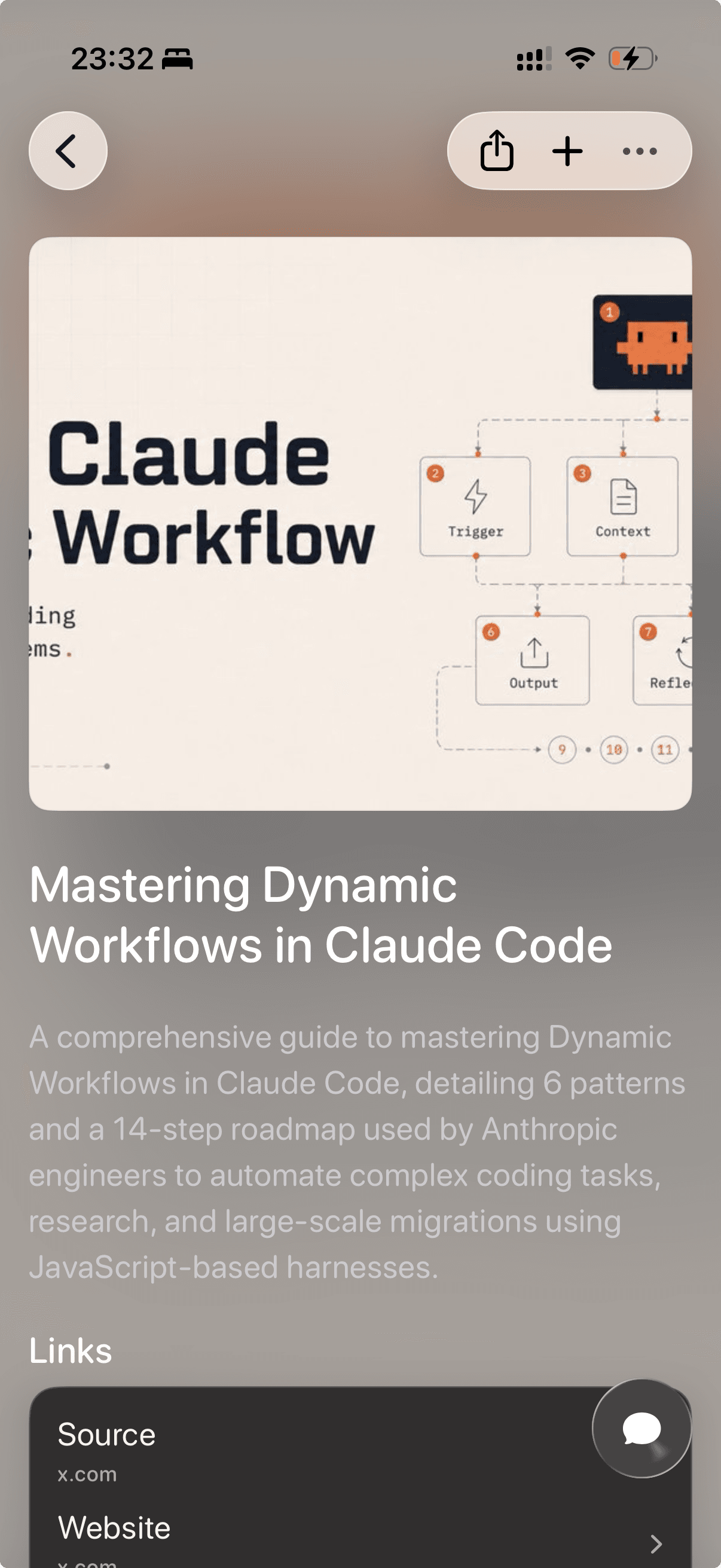
An AI technology article organized in Tote with source links and summary
After: AI article with context

Before and after

From Screenshot Pile to Searchable Save

Tote keeps the original visual reference, then adds the context you need when you come back to it later.

An X post about Claude Code dynamic workflows before saving
Before: AI post screenshot
An AI technology article organized in Tote with source links and summary
After: AI article with context

The real problem

AI news moves faster than your camera roll can handle.

AI product launches, model updates, research papers, prompts, benchmarks, and technical threads spread across X, newsletters, blogs, Discord screenshots, and company docs. Screenshots help you catch the moment, but they rarely preserve the source, why it mattered, or where it fits in your research.

Tote gives important AI updates a place to become useful later. Save the screenshot or source link, add it to a list by model, tool, workflow, company, paper, or project, then search by the detail you remember when you need it again.

How to Save AI News Screenshots to Tote

  1. Screenshot the AI article, X post, newsletter, launch note, research thread, or product update you want to keep.
  2. Open the screenshot and tap Share, or share the original link directly when one is available.
  3. Choose Tote and let it capture visible text, title, source, summary, links, and technical details.
  4. Add it to a list such as AI News, Claude Code, Agents, Model Releases, Prompt Ideas, or Research to Read.
  5. Search later by company, model name, tool, benchmark, paper, author, use case, or technical keyword.

What Tote Captures

  • AI article titles, source links, authors, companies, and publication context
  • model names, tools, product launches, workflows, benchmarks, and technical terms
  • X posts, tweets, threads, screenshots, newsletters, docs, and related reading links
  • lists for AI news, research, coding agents, prompt ideas, product updates, and projects
  • notes about why the update matters and what you want to revisit later

Best Uses

  • X posts and tweets about AI tools, model launches, and agent workflows
  • screenshots from newsletters, release notes, blog posts, and research summaries
  • technical articles you want to compare across Claude, ChatGPT, Gemini, open-source models, and coding tools
  • AI reading lists for work research, product planning, prompts, papers, and experiments

What to Know

  • A screenshot captures only what is visible, so save the original article or thread link when you need full context.
  • AI news changes quickly; Tote helps organize what you saved, but you should verify important claims from the source before acting on them.
  • Use a read-it-later app for pure article queues; use Tote when the item belongs with screenshots, posts, notes, links, and project lists.

FAQ

Screenshot Saving Questions

How do I keep up with AI news on iPhone?

Save the AI articles, X posts, release notes, screenshots, and research links that matter to Tote, then group them into lists by tool, model, project, company, or topic so they are searchable later.

Can Tote organize AI articles and screenshots together?

Yes. Tote can keep AI news screenshots, source links, X posts, newsletters, docs, and notes together so important updates do not stay split between apps.

What AI updates are worth saving to Tote?

Save updates you expect to revisit: model launches, benchmark claims, workflow ideas, agent patterns, prompt examples, product announcements, research papers, and technical threads.

Save Screenshots Before They Disappear Into Photos

Send important screenshots to Tote, then find them later by what they show, where they came from, or the list they belong to.

Download on the App Store