Disclosure: this article is published by the team that builds Tote. Tote is included as one option. Every other app and platform mentioned is a third party we have no affiliation with.
Quick answer: open X, tap your profile picture, tap History, then tap the Bookmarks tab. Since May 2026 the iPhone app keeps your Twitter bookmarks inside History instead of giving them their own menu item.
- Open the X app on your iPhone.
- Tap your profile picture in the top-left corner.
- Tap History.
- Tap the Bookmarks tab.
If your side menu still says Bookmarks, tap that instead. History launched on iPhone only, so older app versions, Android, and the web may still show Bookmarks in the menu.
Where did Twitter bookmarks go on iPhone?
In May 2026, X renamed the Bookmarks button in its iPhone app to History. Your bookmarks were not deleted. They moved one tap deeper and are now one of four tabs inside History, in the same newest-first order.
History is private, like Bookmarks always were. Bookmarks sync with your X account rather than your phone, so the same list appears on another iPhone, on Android, and at x.com/i/bookmarks once you sign in to the same account.
History tabs: Bookmarks, Likes, Videos, and Articles
History has four tabs. Only Bookmarks holds posts you chose to save.
| Tab | What it holds |
|---|---|
| Bookmarks | Posts you bookmarked. This is your save list. |
| Likes | Posts you tapped the heart on. |
| Videos | Videos you watched on X. X fills this in for you. |
| Articles | Articles you opened on X. X fills this in for you. |
If a post you remember saving is not under Bookmarks, check Likes next. A heart and a bookmark sit side by side under every post, and a “saved” post often turns out to be a liked one.
How to search your X bookmarks
Open the Bookmarks tab and tap Search to open the Search Bookmarks field. Type a word from the post or the author's name. The main X search bar does not look inside your bookmarks, so search from the Bookmarks tab itself.
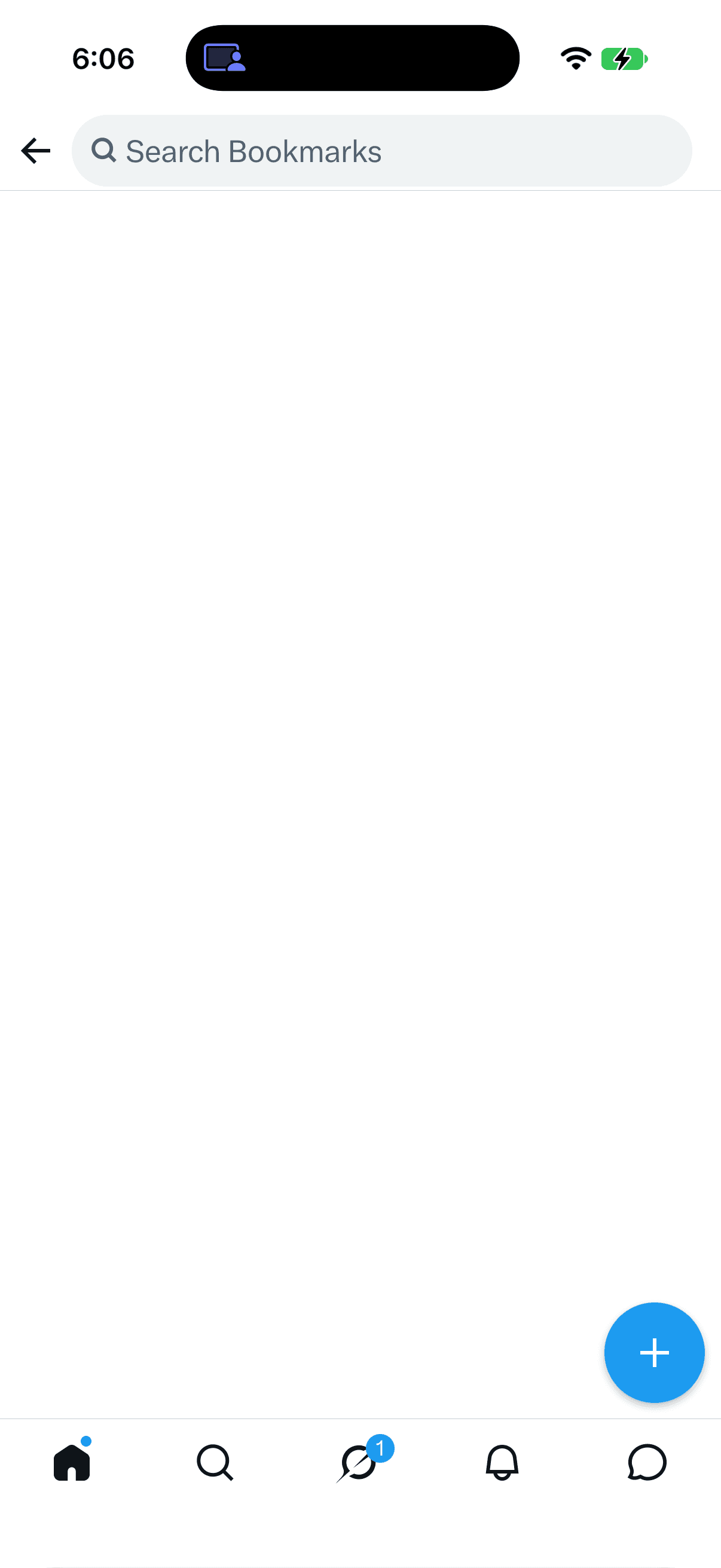
Bookmark search matches words, not topics. A search for “headphones” will not find a post that only says “AirPods.” Bookmark search used to be an X Premium feature, and X's help page does not say which plans get it today. If you do not see the field, you are left with scrolling. The web version at x.com/i/bookmarks is easier to scroll through a long list.
Why a bookmarked post seems missing
Work down this list in order:
- Looking in the old spot. The iPhone app moved Bookmarks into History. Open History, then Bookmarks.
- Wrong History tab. History has four tabs. Make sure Bookmarks is the one selected.
- Wrong account. Bookmarks belong to one X account. Switch accounts from the profile menu and check again.
- Liked, not bookmarked. A heart sends the post to Likes. Check History, then Likes.
- Buried in the list. Bookmarks are newest first. Try Search Bookmarks, or scroll further down.
- Post deleted or account suspended. A bookmark points to the original post. When the post goes, the bookmark goes with it.
- Old app version. If neither path matches your menu, update X from the App Store and reopen it.
If your whole list seems gone, look inside History first. A single missing post usually means the wrong account, a like instead of a bookmark, or a deleted original.
How to bookmark a post on X
- Open the post in the X app.
- Tap the bookmark icon under the post. If your version does not show one, tap the share icon and choose Bookmark.
X says bookmarks are private and only you can see them. The author is not told when you bookmark their post.
Bookmark folders need X Premium
Free accounts get one list. X Premium adds bookmark folders. To sort bookmarks by project or build a library you can search by topic, see how to organize X (Twitter) bookmarks on iPhone.
Can you export X bookmarks?
Not from inside X. The app has no export button, and X's help page for downloading your data does not list bookmarks among what the archive contains. To keep a copy of a post that matters, save it somewhere else when you bookmark it.
Keep the posts that matter findable with Tote
X Bookmarks work for posts you will look at again this week. For a restaurant thread, a product comparison, or a travel tip you need in two months, share the post to Tote from the iPhone share sheet.
- Open the post in X.
- Tap the share icon.
- Choose Tote from the share sheet.
Tote reads the post text, the author, any quoted post, and any X Article attached to the post. You can then search for the post by what it was about, next to saves from Instagram, TikTok, Reddit, and Safari. Tote keeps the text it read even if the original post is later deleted. It does not download X videos, and you can keep bookmarking in X as usual.
More on how that works for X: save and organize X posts.
FAQ
Where are my bookmarks on Twitter (X) on iPhone?
Open X, tap your profile picture, tap History, then tap the Bookmarks tab. On older app versions the side menu still shows Bookmarks directly.
Where did my X bookmarks go?
They were not deleted. In May 2026 X renamed the Bookmarks button in its iPhone app to History. Your bookmarks are the Bookmarks tab inside History.
Can I search my X bookmarks?
Open the Bookmarks tab and tap Search to use the Search Bookmarks field. It matches words, not topics. Bookmark search used to require X Premium, and X's help page does not say which plans get it today, so if you do not see the field you will need to scroll.
Why did a bookmarked post disappear?
Check that you are on the right account and the Bookmarks tab, and check Likes in case you tapped the heart. If the author deleted the post or the account was suspended, the bookmark disappears too, because a bookmark points to the original post.
Are X bookmarks private?
Yes. Only you can see your bookmarks, and X does not tell the author when you bookmark a post. The rest of History is private too.
Can I export X bookmarks?
No. X has no export button for bookmarks, and X's help page for the downloadable account archive does not list them. Save important posts somewhere else, such as Tote, when you bookmark them.
Related guides
- How to organize X (Twitter) bookmarks on iPhone
- Where are saved items on iPhone?
- How to find saved TikToks on iPhone
- How to find saved Reels on Instagram
- How to find saved Facebook posts on iPhone
- How to find saved Reddit posts on iPhone
Get Tote on iPhone
Find your bookmarks in X under History, then Bookmarks. Share the posts you will need months from now to Tote. After you install it, pin Tote in the share sheet so saving takes one tap.