Disclosure: this article is published by the team that builds Tote. Tote is included as one option. Every other app and platform mentioned is a third party we have no affiliation with.
Quick answer: your saved TikToks are in Favorites, not in Likes.
- Open TikTok and tap Profile.
- Tap the bookmark. That is Favorites.
- Open the Collection you used. If you did not use one, check the main Favorites grid, newest first.
If it is not there, you probably liked it instead of saving it. Open the heart tab. If you watched it and never saved it, use Profile → menu → Settings and privacy → Activity Center → Watch History.
TikTok does not let you search Favorites. The main search bar searches all of TikTok, not your saves.
Where saved TikToks actually live
TikTok calls saves Favorites. They are private and live on your profile, not in Downloads or Photos.
- Open TikTok on your iPhone.
- Tap Profile.
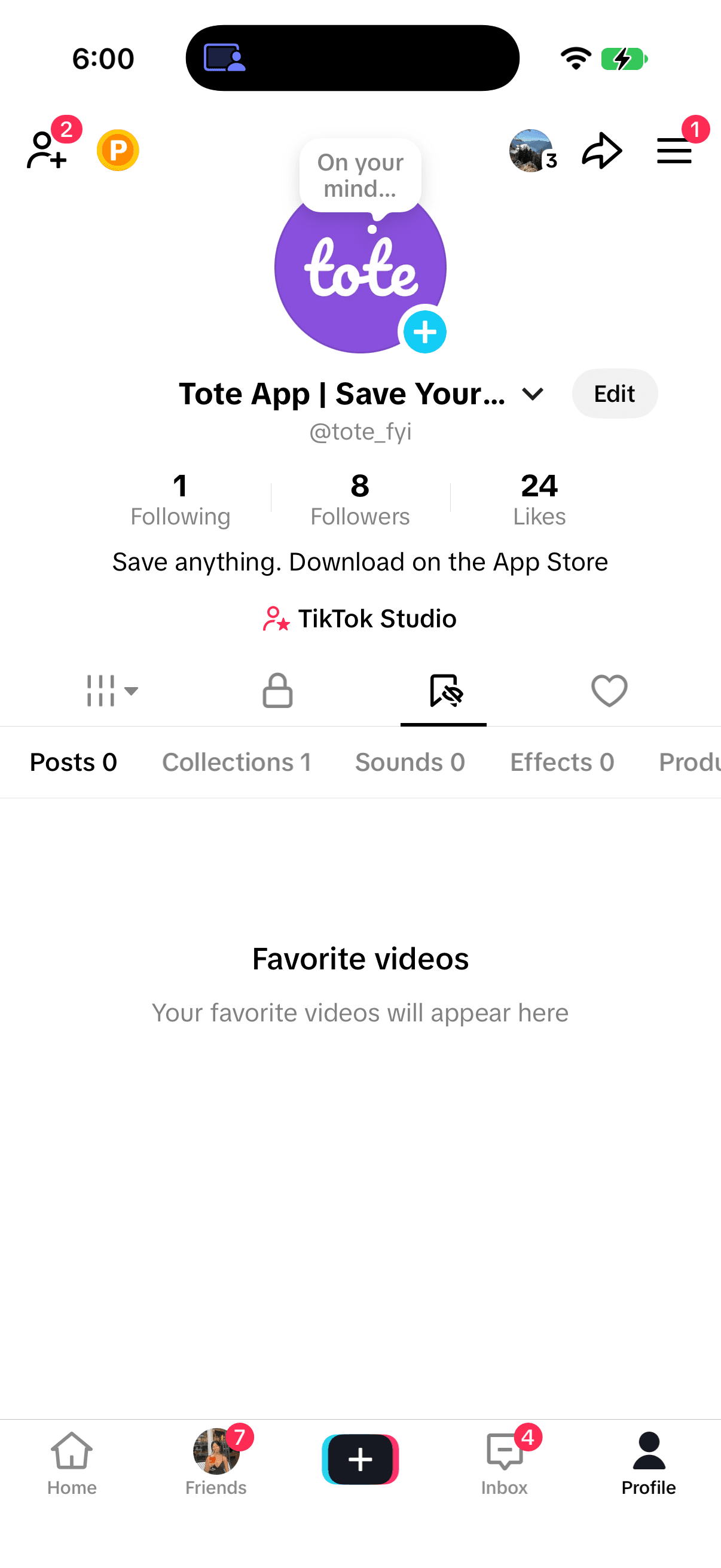
- Tap the bookmark under Edit profile.
- Open the Posts tab or the Collection you used.
If you use more than one TikTok account, confirm that you are on the account you saved from. Favorites do not move between accounts.
Likes vs. Favorites
This is the usual reason a “saved” TikTok is missing.
- Heart (Like): goes to the Likes tab, which can be public unless you hide it. It is not a Favorite.
- Bookmark (Favorite): goes to Favorites and is private.
The icons sit close together while a video plays. If you tapped quickly, check Likes first, then Favorites. They are separate lists.
Collections and the main Favorites grid
When you tap the bookmark, TikTok may ask you to add the video to a Collection. Open the folder you would have used, such as Recipes, Workouts, or Places. If you did not choose one, look in the main grid.
Collections shorten the scroll but have no keyword search. Older videos stay in the main grid until you move them individually.
Favorites is more than videos
Favorites can have separate tabs for posts, collections, sounds, effects, places, products, and other content. If the video grid looks empty, check whether you saved a sound, effect, place, or product. The exact tabs vary by account and app version.
How to find Favorites on TikTok desktop
On tiktok.com, sign in, open your profile, and open Favorites. You can browse videos and Collections, but there is still no keyword search limited to Favorites.
Why a saved TikTok disappears
A Favorite is a pointer, not a downloaded copy. If the creator deletes the video, makes it private, or TikTok removes it, the row can disappear or become unavailable without a notification.
Watch History and data export
Watch History helps when you never tapped save. Open Profile → menu → Settings and privacy → Activity Center → Watch History. Use the dates and filters shown in your current app because the window can change.
Download your data can include a Favorites list. Open Profile → menu → Settings and privacy → Account → Download your data. TikTok may take several days to prepare it, and the result is closer to a list of links than a visual Favorites library.
Can you search saved TikToks?
No. TikTok has no keyword search inside Favorites, Collections, or Likes. Its main search is public search, while Watch History is a list rather than a search box for saves.
If you remember a creator, caption phrase, or sound, public search may find the original. If you only remember “that noodle recipe from last month,” TikTok cannot search your saves by that description.
If you need to find it by what it was about
Keep Favorites for videos you might rewatch inside TikTok. For something you will need by topic—a recipe, place, product, or workout—share it to Tote from the iPhone share sheet. Tote keeps the link and useful details so you can search “chili oil noodles” instead of scrolling Favorites.
Tote does not download the video. If the original disappears, the extracted details stay. Use Tote for saves you will act on; leave casual rewatches in Favorites.
How the retrieval methods compare
| Method | Search by topic | Survives deletion | Time to find |
|---|---|---|---|
| Scroll Favorites or Collections | No | No | Minutes to never |
| Check Likes | No | No | Fast, if you liked it |
| Watch History | No | No | Minutes, inside the available window |
| Download your data | No | No | Days |
| Share to Tote | Yes | Extracted details stay | Seconds |
Frequently asked questions
Where are my saved TikToks?
Profile → bookmark tab. Check Collections, then Likes if you tapped the heart.
What is the difference between liked and saved on TikTok?
A Like goes to the heart tab and can be public. A Favorite goes to the private bookmark tab.
Can you search TikTok Favorites?
No. The main search bar does not search your saves.
Why did a saved TikTok disappear?
You may be on the wrong account, have liked rather than saved it, filed it in a Collection, or lost access to the original.
How do I find TikToks saved in a Collection?
Open Favorites, then choose the Collection card at the top.
Does Tote download the TikTok?
No. Tote stores the link and searchable details it extracts.
Related guides
- Where saved items live across iPhone apps
- Save and organize TikToks after you find them
- Organize saved TikTok videos on iPhone
- Find saved Facebook posts on iPhone
- Find saved YouTube videos on iPhone
- Find Twitter (X) bookmarks on iPhone
- Find saved LinkedIn posts on iPhone
- Organize Instagram saved posts on iPhone
Get Tote on iPhone, then pin Tote in the share sheet so important saves are one tap away.